
Pantry Moose

Pantry software

Clients, volunteers, donations, and reports in one place.

Food shelf software that feels simple from day one.

Easy to learn, full of helpful features, affordable for growing teams, and ready to use on any device. Keep check-in, donations, visits, volunteers, and reports all in one place.

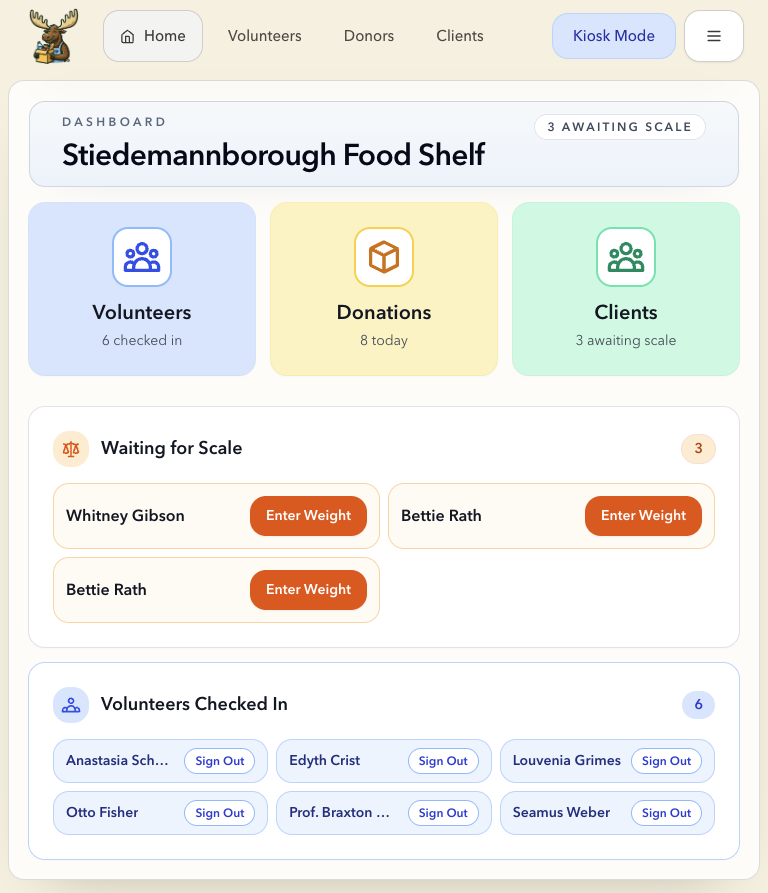
Pantry Moose dashboard showing check-in, scale, and volunteer status

Everything your team does daily, in one place.

From client check-in at the front desk to donor records and volunteer management — your whole pantry day lives in the same system.
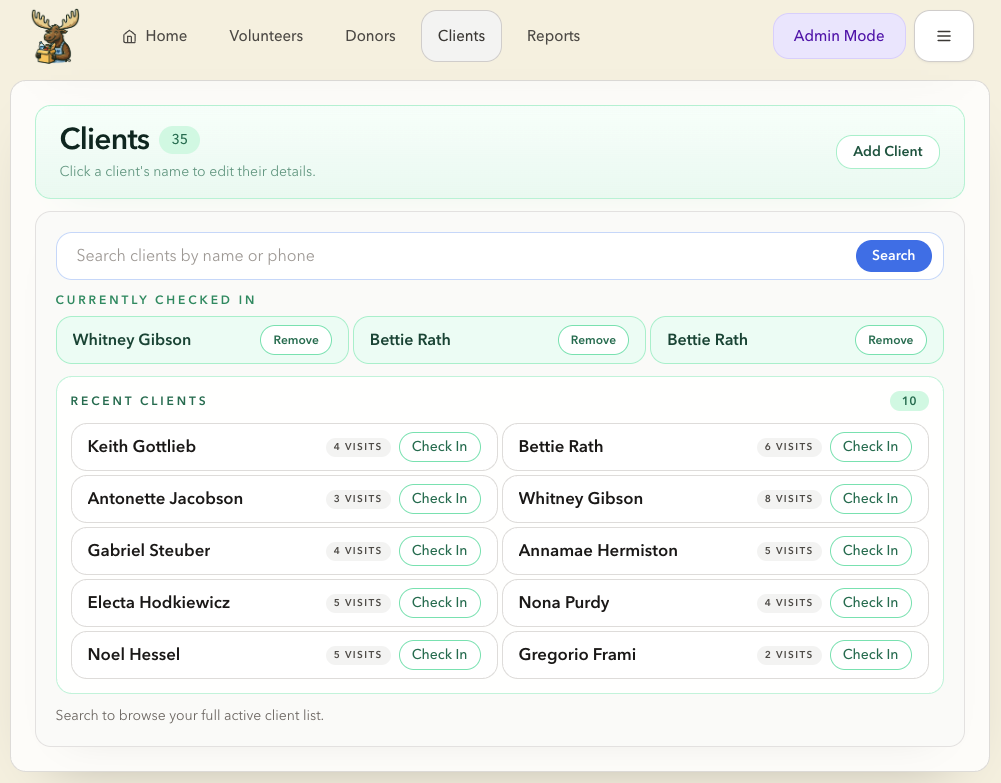
Client check-in and visit tracking

Clients

Client check-in and history

Record household visits and people counts quickly without slowing down the front desk line.
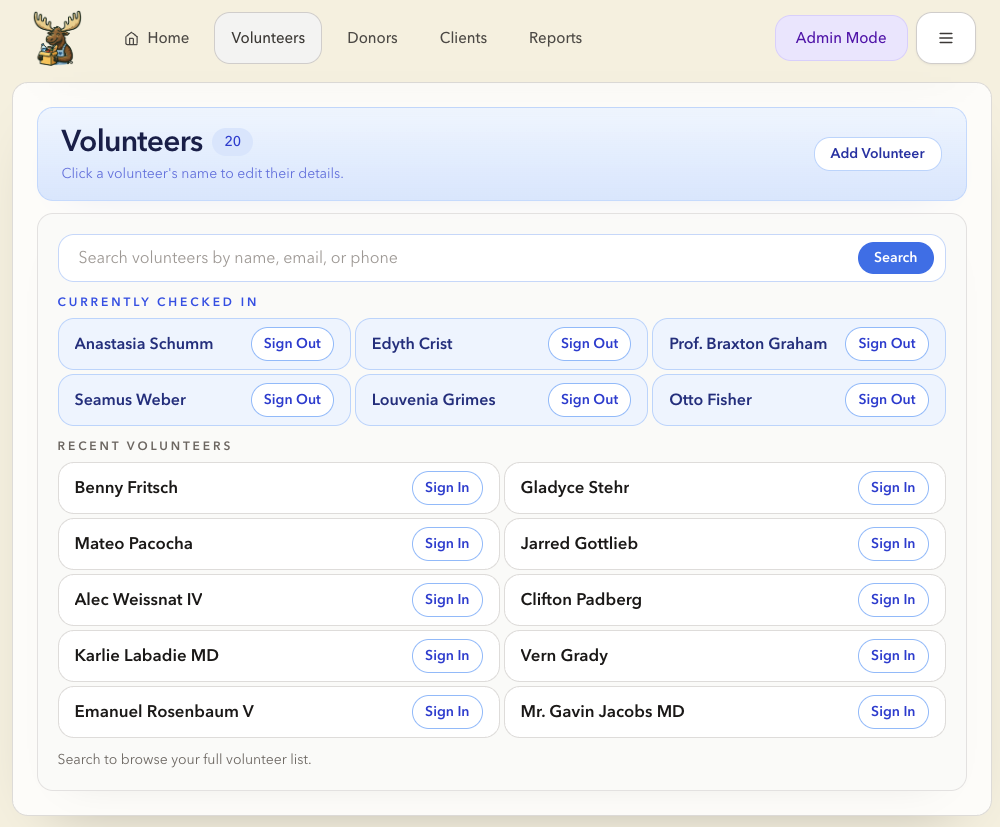
Volunteer sign-in and tracking

Volunteers

Volunteer sign-in and tracking

Check volunteers in and out, track hours, and see who is on shift right now.
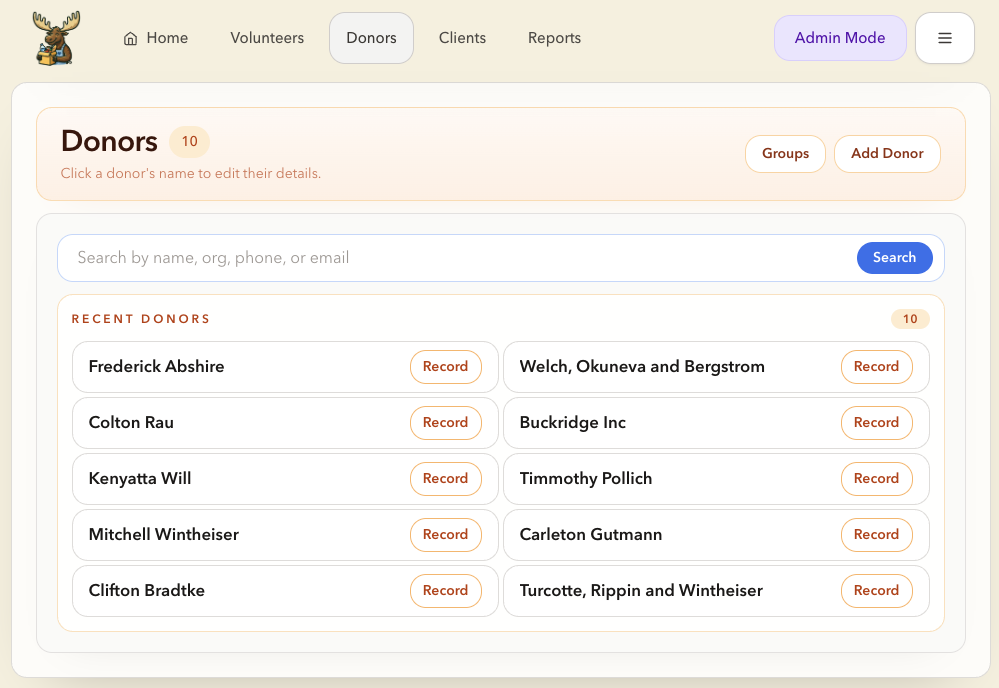
Donor and donation management

Donors

Donor and donation records

Log donations by category, track donor history, and keep records organized without extra spreadsheets.
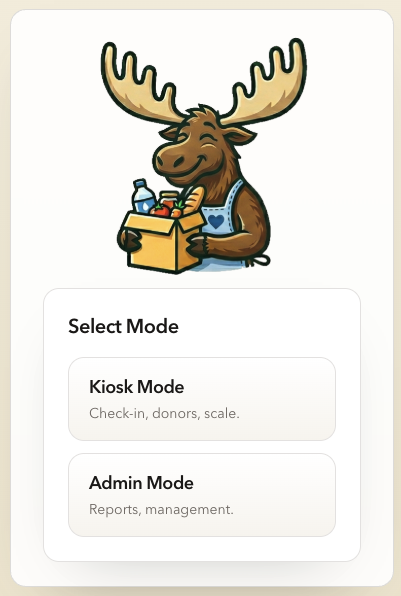
Simple for the front line. Powerful for administrators.

Different people need different levels of access. Pantry Moose keeps daily tasks focused while still giving leaders full management tools when they need them.

Kiosk Mode

Focused on front-line tasks

Use volunteer check-in, client check-in, and quick donation entry without putting editing tools, reports, or settings in the way.

  • Volunteer sign-in and sign-out
  • Quick client check-in at the front desk
  • Cleaner workspace for staff and volunteers
Administrator Mode

Full access when it is time to manage

Review reports, edit records, manage categories, update organization settings, and handle the full pantry workflow from one place.

  • Reporting workbook and history views
  • Record pending food weights after visits
  • Settings, labels, and organization management
Pantry Moose mode selection screen showing Kiosk Mode and Admin Mode

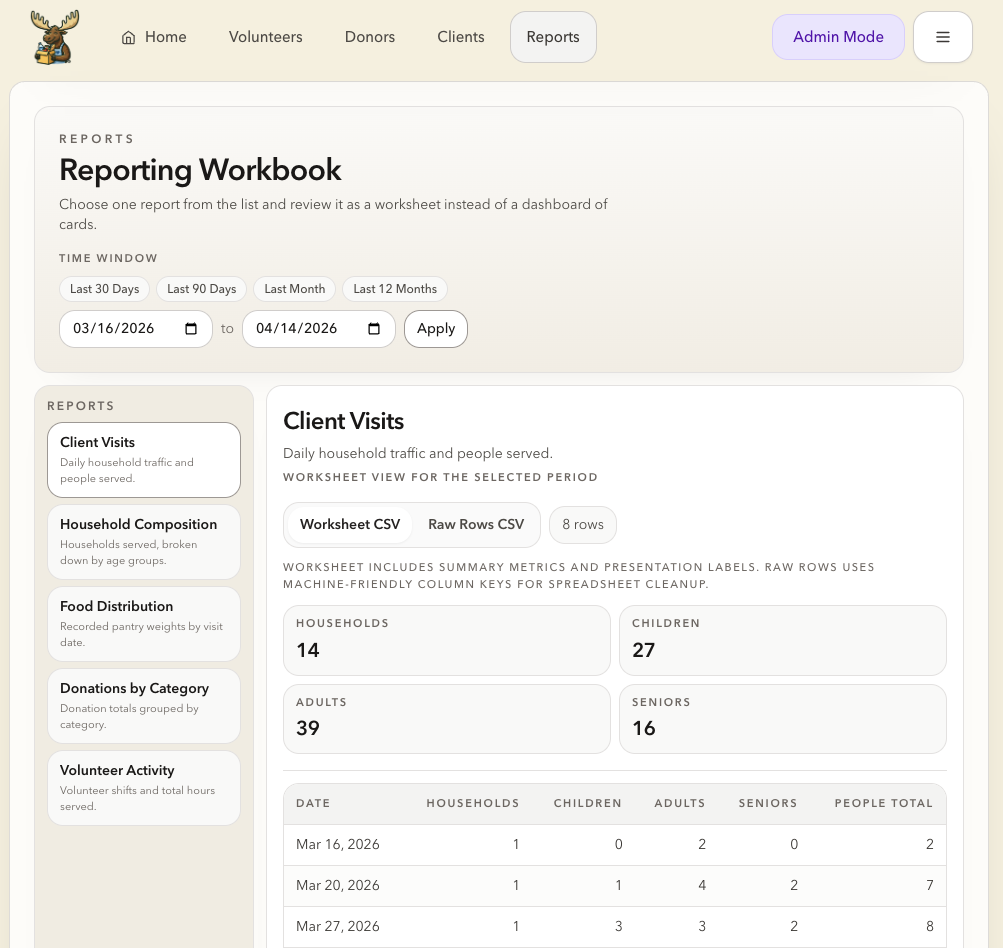
Clear pantry reporting without extra spreadsheets.

We build custom reports for your pantry. Choose a time range and pull the numbers that matter to your team — no extra spreadsheets required.

Custom report views
Pantry Moose reporting workbook showing client visits and distribution data

Works on computer, tablet, or phone.

Set up reports from a desktop, use a tablet at the front desk, or pull up donor and client records from a phone when you are away from your desk.

Computer

A bigger view for reports, setup, and office work.

  • Run monthly and annual reports
  • Manage users and org settings
  • Review full history

Tablet

Easy to carry and easy to share during check-in.

  • Front desk and kiosk check-in
  • Volunteer sign-in and sign-out
  • Quick donation entry

Phone

Quick access when you are away from your desk.

  • Check today's numbers
  • Look up a client or donor
  • See who is currently signed in

One system for the whole day.

Pantry Moose keeps the front desk, volunteer desk, donation entry, and reporting connected so your team does not have to bounce between paper, spreadsheets, and separate tools.

1

Volunteers check in fast

Use a simple kiosk screen to sign volunteers in and out and keep a clear view of who is helping today.

2

Clients get checked in quickly

Record household counts, notes, and visits without slowing down the front desk when the line is moving.

3

Food weight gets recorded later

Check clients in first, then record distribution weight after the visit is complete so the front desk can stay focused.

4

Leaders review reports and trends

Run reports on visits, households, pounds distributed, donations, and volunteer activity from the same system your team uses every day.

Fit the system to your pantry, not the other way around.

Update your pantry name and logo, rename food category labels, and support one pantry or multiple organizations from the same product.

Customize your pantry setup

Brand the app with your organization name and logo, and rename category labels so the system matches the language your pantry already uses.

  • Organization branding
  • Custom category labels
  • Pantry-specific setup

Support one site or many

Pantry Moose can support a single pantry team today and still grow into a multi-organization setup for larger networks and umbrella administrators.

  • Organization-level records
  • Separate pantry data
  • Multi-org admin support